Last updated:
Wave AI is a note-taking app that works on your Apple Watch. Tap to record a thought, a voice note, a conversation or a meeting from your wrist, and Wave transcribes it and summarizes it for you. The same notes are on your iPhone, your desktop and in the browser. Wave transcribes in 76 languages, and you can start free: 30 minutes of recording a month, no credit card required.
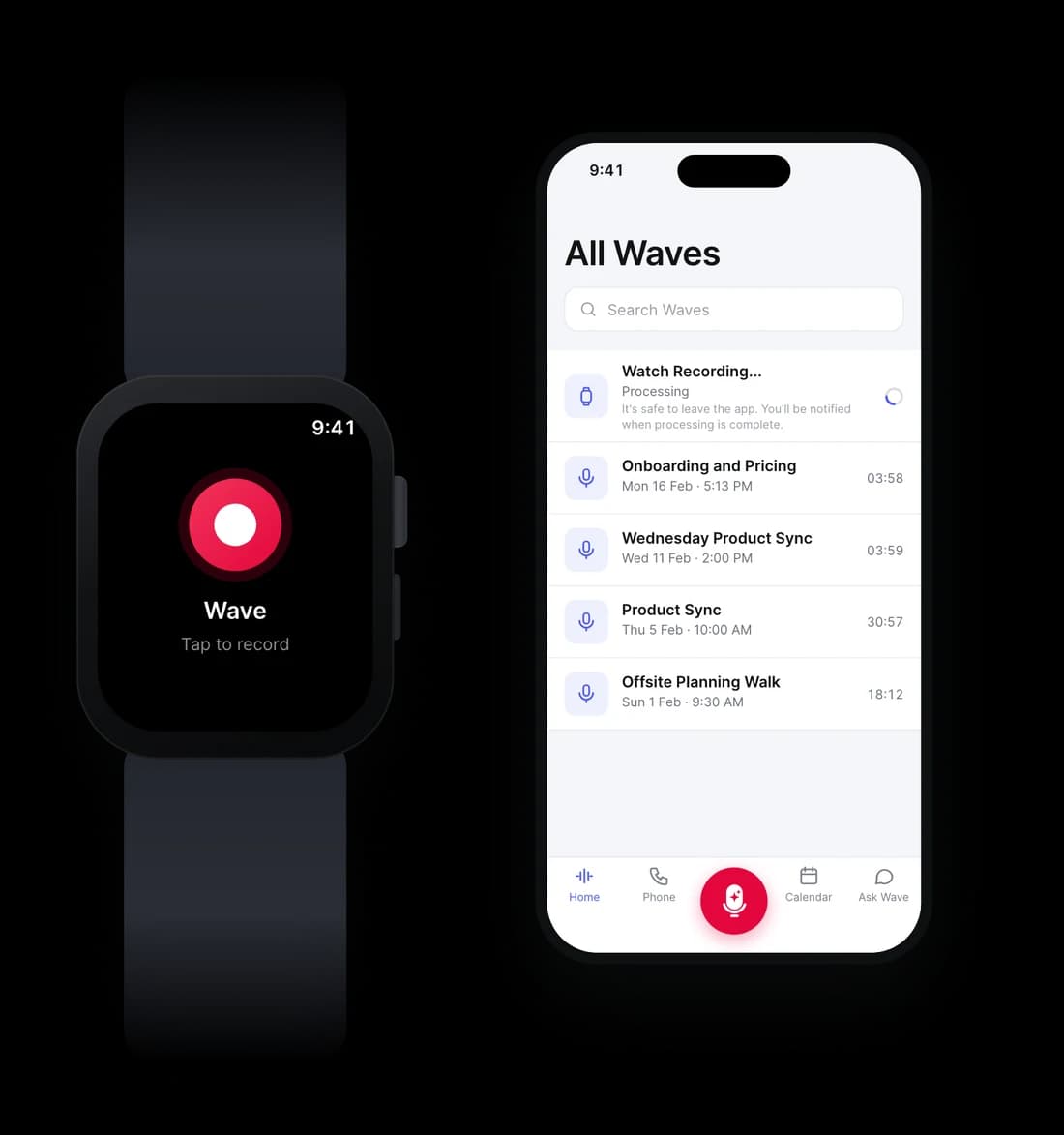
Wave records on the watch itself, not as a remote for your phone. Each recording becomes a transcript and a summary in your Wave library.
Many watch apps only record audio, or only control an app on your phone. Check these four things.
What you say into your watch stays yours.
Watch recordings count toward your plan like any other recording.
By the time you've pulled out your phone, unlocked it, and found the app, the thought is gone. A recorder on your wrist captures the moment at the speed of a tap.
Native voice memos on a watch give you an audio file and nothing else. Wave turns every wrist recording into searchable text with an AI summary — the recording is the start, not the result.
Walking meetings, site visits, workshops, a conversation on the move — places where holding a phone is awkward. Your watch records hands-free while you stay in the conversation.
Open Wave on your watch and tap record. No phone needed in hand — capture voice memos, conversations, and meetings straight from your wrist.
Start Wave on your wrist when a meeting, 1:1, or interview begins and stay in the conversation. Afterwards you get meeting notes: a speaker-labeled transcript, a summary, and action items.
Pause without splitting the recording. Add the Wave complication to your watch face for one-tap access, a running timer while you record, and a count of recordings still waiting to send.
Recordings wait safely on the watch and hand off to your iPhone when the two reconnect. At 10% battery Wave stops and saves the recording, so a dying watch doesn't cost you the audio.
Watch recordings land in the same Wave library as everything else — transcribed, speaker-labeled, summarized, and searchable alongside your meetings and calls.
Every wrist recording gets the full Wave treatment: a transcript with speaker labels and an AI summary with the key points and action items.
Dictate an idea, a reminder, or a draft on the go. Wave converts it to clean text you can search, copy, and act on — not an audio file you'll never replay.
Wrist recording isn't just for Apple Watch. Wave runs on Wear OS smartwatches — Galaxy Watch, Pixel Watch, and more — with the same one-tap capture and AI pipeline.
The watch is one of many ways to Wave: phone, desktop, Chrome extension, meeting bots, and the call dialer all feed the same searchable library.
Wave now records directly from Wear OS smartwatches — Galaxy Watch, Pixel Watch, and more. Tap record on your wrist, capture a conversation, and it syncs to your Android phone automatically.
The complete guide to recording with Wave — iPhone, Android, Apple Watch, Wear OS, Desktop, Chrome Extension, Meeting Bots, Phone Calls, Web App, and Import. Every way to capture, transcribe, and summarize your conversations.
Wave now records directly from your Apple Watch — no iPhone needed nearby. Tap record, capture a conversation, and it syncs automatically.
Record from your Galaxy Watch, Pixel Watch, or any Wear OS 3+ watch with one tap. Wave syncs each recording to your Android phone and turns it into a transcript and AI summary.
Wave AI is a voice recorder app that transcribes and summarizes every recording in 76 languages. iPhone, Android, Apple Watch, Wear OS, web, Mac and Windows. Try free.
Before buying an AI recorder gadget like Plaud or Pocket, consider: Wave turns the phone and watch you already own into an AI recording device — transcripts, summaries, and search included.
Record walking meetings and outdoor 1:1s with Wave AI on iPhone, Android, Apple Watch or Wear OS. Pocket the phone, keep walking, get a transcript, summary and action items. Free to start.



Product
Use Cases
Compare
All rights reserved
Made with love in New York City